Your Personal and Author Life is Scattered Across 47 Tabs.
(And Also in Your Head).
This brings it all together in one clear place.
The Author Command Centre gives you one place to see what exists (for example, logins, subscriptions, writing projects, contracts, and more), where they live, and what matters, without asking you to overhaul your life or learn new software.
Think of it as the master index for your author business: your publishing platforms, your income sources, your contracts, your documents, and the information someone would need if you were unavailable.
If you are an author, this probably sounds familiar….
Your manuscript is in Dropbox.
Your edits are in OneDrive.
Your publishing account lives behind a password you half remember.
Your subscriptions spread across emails and bank statements.
Your notes are half in your head, half in documents you vaguely remember creating.
You’ve just signed up for another tool because someone said you should.
And you cannot remember where that login lives either.
If you are traditionally published, you have an agent, contracts, emails, and conversations spread across years.
If you are self published, you have platforms, aggregators, designers, editors, subscriptions, and dashboards.
If you are just starting out, everything feels fragmented before it has even begun.
Somewhere in the middle of all that, you are also a person with life admin, documents, subscriptions, and responsibilities that sit alongside your writing.
You keep telling yourself you will organise it properly one day.
But life keeps moving, the list keeps growing, and the idea of sorting it feels heavier every time you think about it.
The Author Command Centre removes that weight.
Not by asking you to overhaul your life.
Not by forcing you into new software.
Not by overwhelming you with systems.
But by giving you one calm place where everything can finally live.

What this actually is
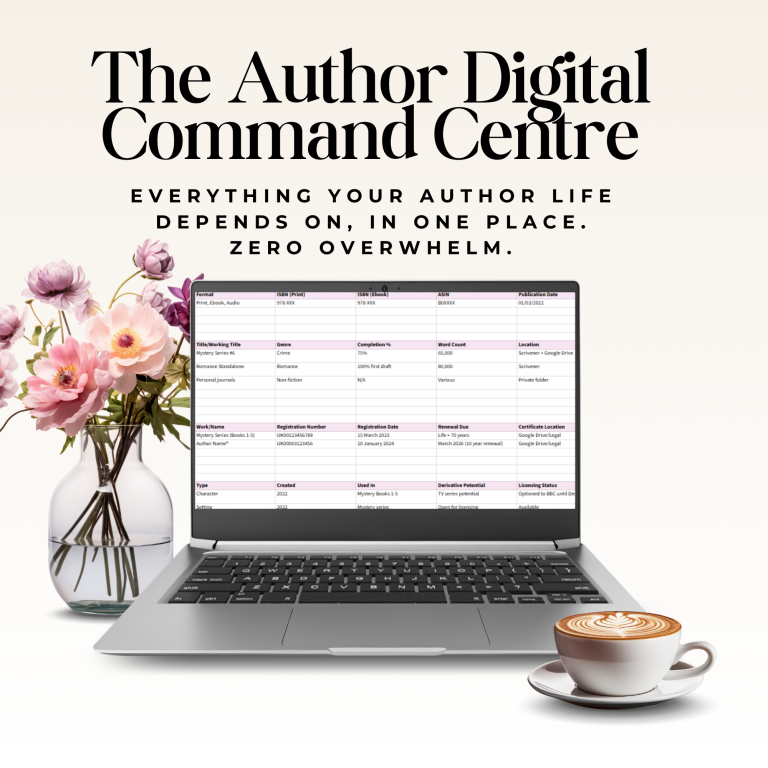
The Author Command Centre is a guided digital command centre, built specifically for authors.
It helps you:
- See everything you are already juggling in one place
- Record essential information without storing passwords or sensitive data
- Reduce mental load and background anxiety
- Spot gaps, duplication, forgotten tools, and loose ends
- Feel steady and in control without having to “get organised”
What this is not
This is not a productivity “hack” (insert eye-roll).
Not a password manager: You never store passwords, PINs, or sensitive credentials here
Not a financial tracker: It doesn’t track royalties or calculate income
Not something you must finish: Update it gradually as you naturally access platforms
Not overwhelming: Built with a traffic light priority system so you know what matters most
It is not a project management system or ANOTHER app you have to maintain. It’s Google Sheets, and if you can use email, you can use the Command Centre – it’s that simple.
Who this is for
The Beginner
You’re writing your first book and already feel overwhelmed
The Scattered Achiever
You’ve published books, built a platform, earn from your writing and grown your author business, but your infrastructure grew messily alongside it. Now, you worry about what happens if you step back. You need consolidation, not more tools.
The Reluctant Business Owner
You just wanted to write books. Now you’re managing platforms, subscriptions, contracts, and service providers. You need a map of what you’ve built.
The “What If” Worrier
You think about worst-case scenarios more than you’d like to admit. This gives you peace of mind without being morbid about it.
The Professional-In-Progress
You’re serious about your author career and want systems that reflect that. The Author Command Centre is your operational system.
How it works in real life
The Author Digital Command Centre is delivered as a Google Sheet. If you can email, you can use this.
You are not meant to sit down and complete it in one go. That would be miserable.
Instead, you keep it open and update it naturally:
- Log into Amazon KDP? Update the Publishing Platforms tab
- Renew a subscription? Update the Tools & Services tab
- Locate a contract? Note where it lives and move on
Small updates, done naturally, are exactly how this tool is meant to work.
The point is not completion.
The point is building a living, central document – a command centre – that supports you over time.
What you can record inside the Author Command Centre
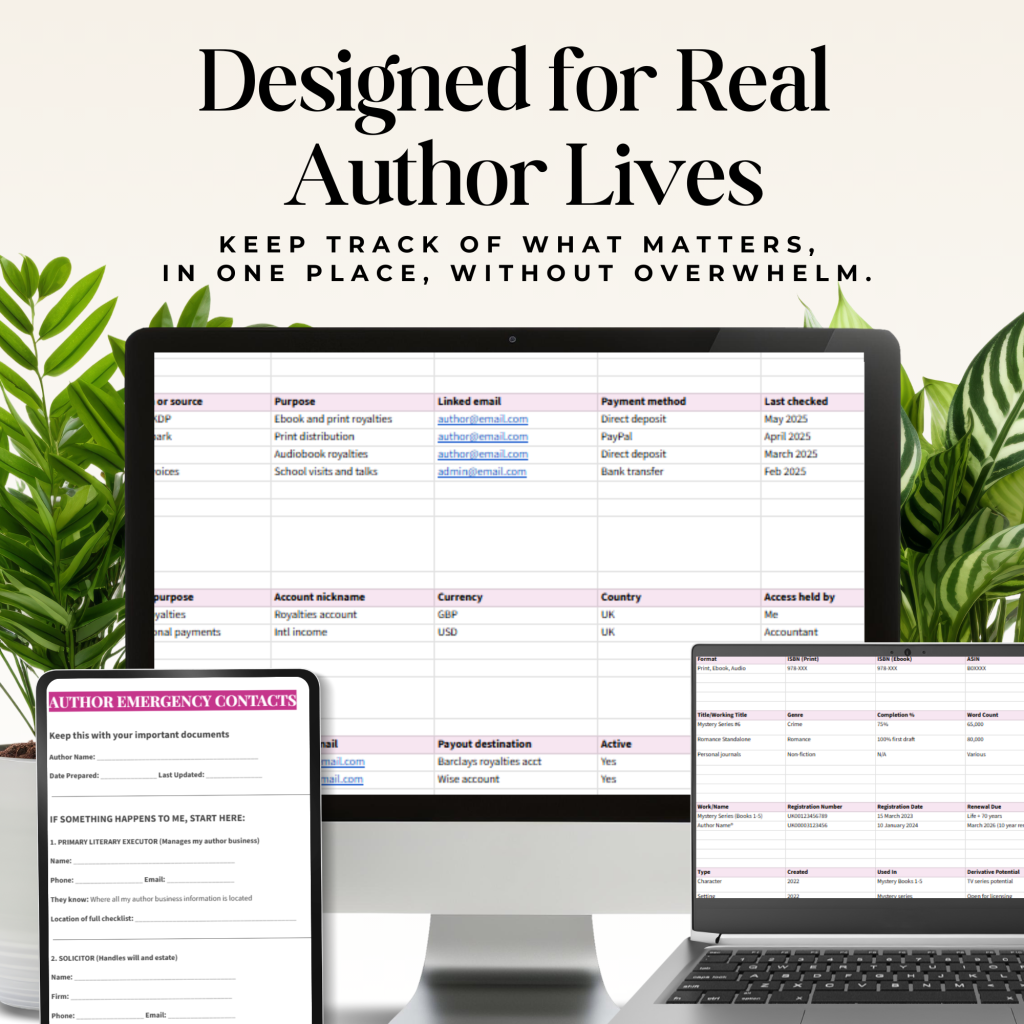
Without storing passwords, bank details, or sensitive data, you can calmly document:
- Manuscripts and works in progress
- Publishing and distribution platforms
- Tools, subscriptions, and services
- Digital assets and file locations
- Rights, licences, and agreements
- Pen names and identities
- Trusted contacts and support roles
- Reference information for emergencies
It is designed to help you know what exists and where it lives, not to turn the document itself into a risk.
Why this matters more than it looks
I’ve had lots of conversations with fellow authors, and the same quiet stress appears again and again.
Not fear of writing.
Not lack of discipline.
But the background anxiety of carrying everything in your head.
Professional authors worry about:
- Losing track of rights and agreements
- Forgetting where income flows through
- Leaving chaos behind if something happens
- Having no single source of truth
Newer authors worry about:
- Starting without structure
- Making mistakes they cannot undo
- Not knowing what they should be tracking
- Feeling behind before they have even begun
The Author Digital Command Centre does not solve everything.
It solves the feeling of not knowing where anything is.
And that is priceless.
This is why it looks simple
The Author Digital Command Centre may look simple.
That is intentional.
Simple tools are the ones we actually use.
But underneath that simplicity is a powerful clarity system that will help you:
- organise your writing life
- document your creative and business world
- reduce stress
- make better decisions
- feel in control
- and protect the work you have put so much into
Before long, your writing life is no longer scattered across devices, platforms and memory.
It has a central home – the Author Command Centre.
The Command Centre works…
… not because it is complicated, but because it is simple enough to complete.
Many people discover:
- Subscriptions they no longer need
- Tools they forgot they were paying for
- Missing documentation they should create
- Relief from mental clutter they did not realise they were carrying
In a world full of noise, apps, and constant optimisation, this kind of simplicity is rare.
It is also what makes the Author Digital Command Centre so effective.
This is why people describe it as deceptively simple.
What you get
For $27, you get immediate access to:
• The Author Digital Command Centre Google Sheet
A clear and central reference point for your author business and essential information
• A Getting Started guide
So you know exactly how to use it, without overwhelm
• Built-in summaries and instructions on every tab
Guidance where you need it, without leaving the document
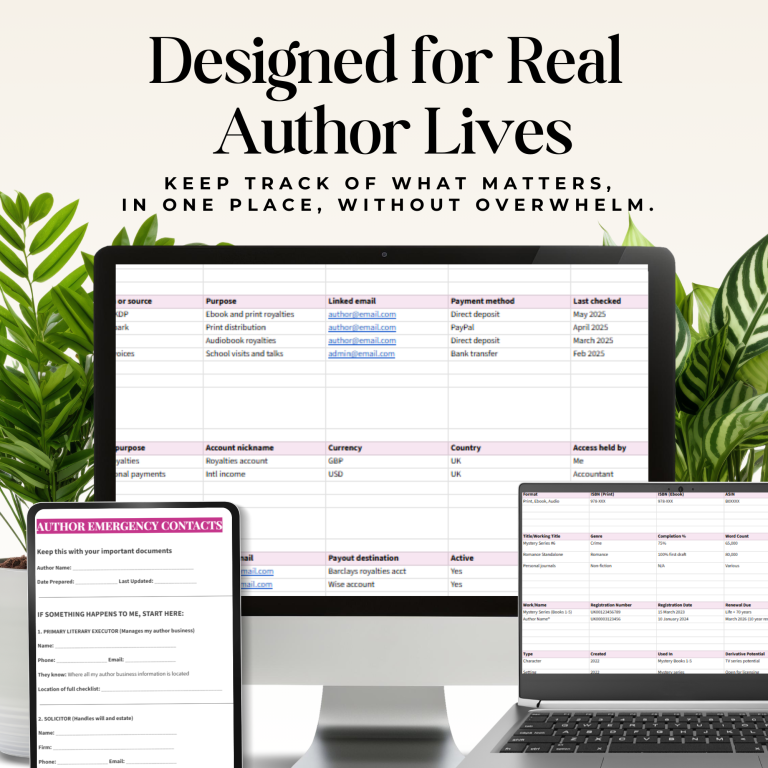
• An emergency contact and reference document
Designed to help others know where to start, if needed
• A short assessment quiz
To help you notice gaps and decide what to document next
• Five realistic scenarios
Based on common situations in author estates, showing the challenges families face when things are undocumented
A note from me

I am an author myself.
Traditionally published and self published.
Writing under multiple names.
Running a business alongside real life.
This tool exists because I needed it.
I did not want another app.
I did not want more noise.
I wanted a central place that documented my life admin and author business, without having to give up my passwords and other security details.
That is what this is.
Start with clarity
You do not need to overhaul your author life.
You do not need to be more disciplined.
You do not need another system.
You need one calm place where everything can live.
That calm place is the Author Command Centre.
Compare that to:
The 45 minutes you spent last month looking for a document.
The subscription you forgot about for 6 months.
The mental load of wondering “where did I put that?”.
The peace of mind of knowing everything’s documented.
The $27 pays for itself the first time you find a forgotten subscription or locate a critical document in seconds instead of hours.
Common questions
You absolutely can. But you’ll spend 4-6 hours figuring out what to include, how to organise it, and what matters most. This saves you that time and gives you a proven structure.
Yes, because you’re not storing passwords or sensitive data. You’re recording where information lives. The actual sensitive information stays in proper password managers and secure locations.
You don’t fill it out. You update it gradually. Log into a platform? Update that row. Review a subscription? Note it. Five minutes here and there over weeks or months.
Only if you want to. Many authors keep it private. Some share read-only access with a trusted person. Some just let someone know it exists and where to find it. Your choice.
You update it. The document is designed to evolve with you. Add platforms, remove old ones, update service providers as they change.
Testimonials